Markets · World Listens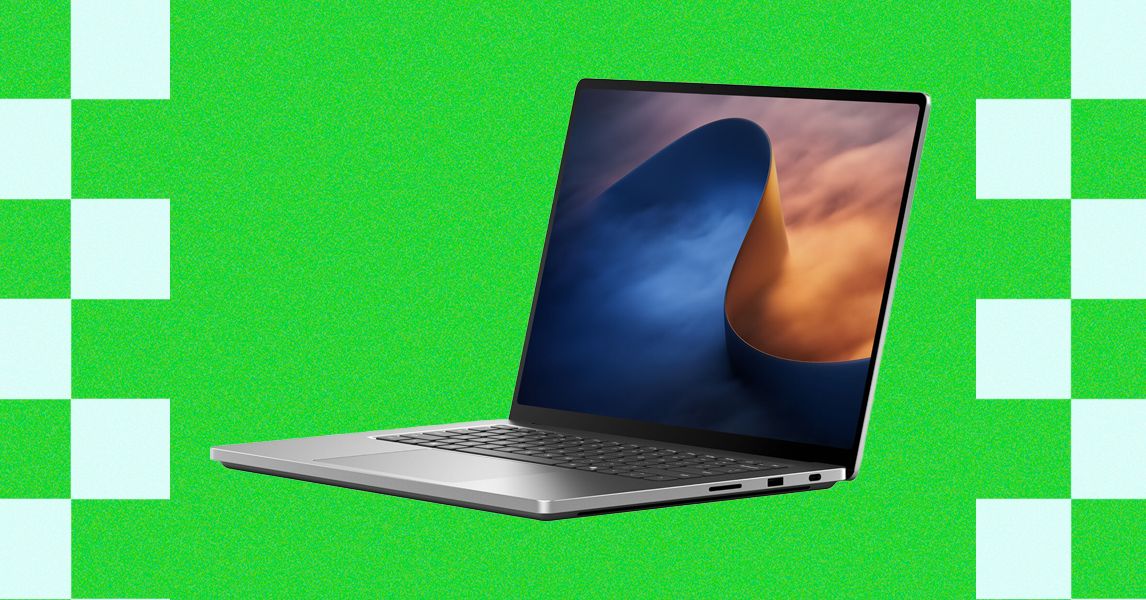
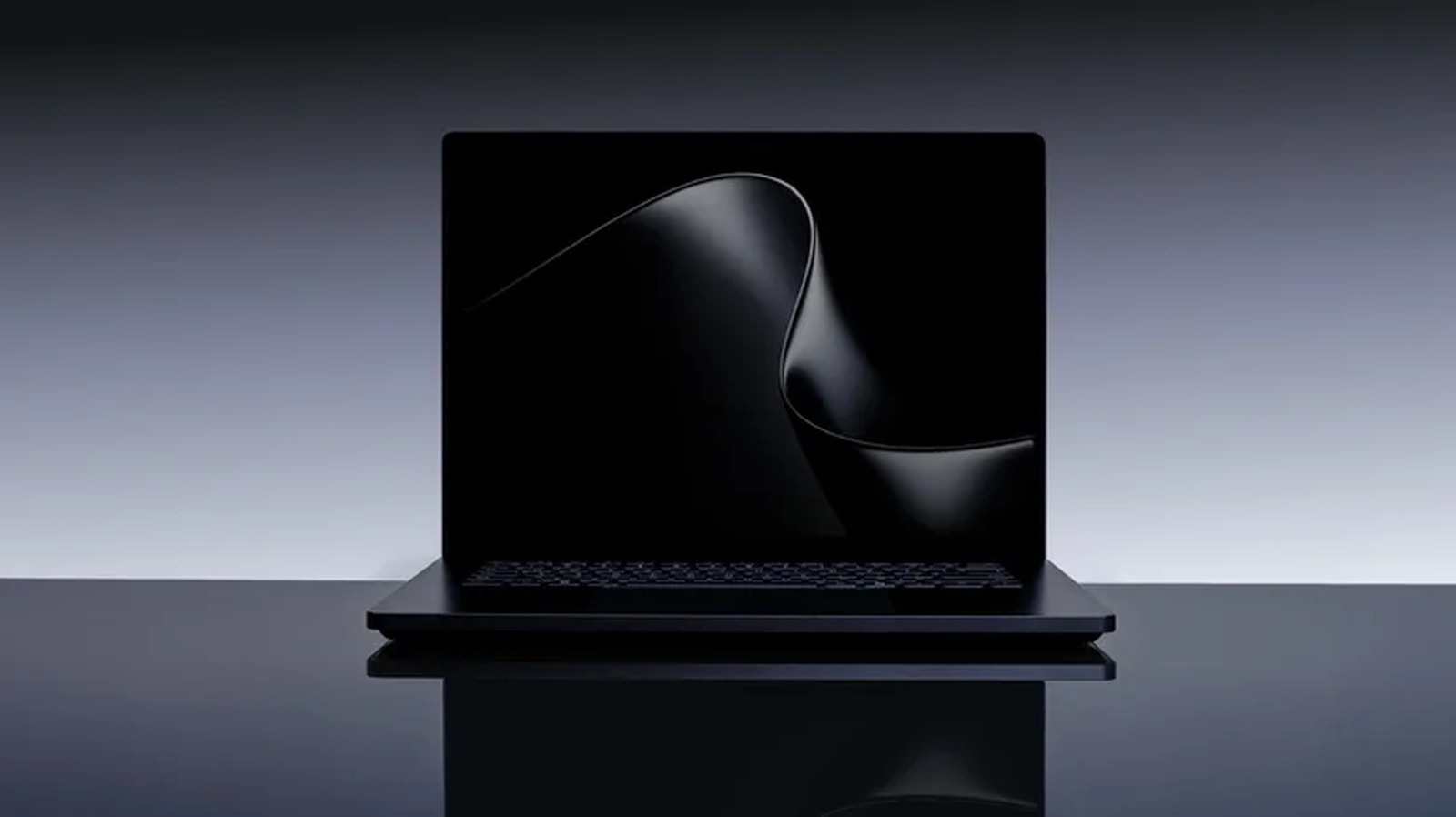
Oct 16, 2026 9:00 AM Review: Microsoft Surface Laptop Ultra The Surface Laptop Ultra is a true MacBook Pro competitor for Windows—if only it weren't for the lack of battery life. Courtesy of BH Photo Rating: 7/10 The brightest laptop display ever made. MacBook-like design and build quality.
Magnetic USB-C port is clever. Performs well unplugged. Music-ready speakers.
Battery life can’t compete with the MacBook Pro. Some very popular games aren’t supported yet. Lower-tier RAM options limit AI capabilities.
A new fleet of Windows laptops has arrived, and the Surface Laptop Ultra is its flagship vessel. Ever since it was announced, it's been one of my anticipated laptops of the year. It not only promises to be a beefed-up evolution of the Surface Laptop (a laptop I already really liked), but also debuts a brand-new piece of silicon: the Nvidia RTX Spark N1X "superchip." The goal is a single laptop that can handle on-device AI, gaming, content creation, and nearly anything else you might throw at it.
If that sounds a bit like a MacBook Pro, you're on the right track. But unlike previous attempts to dethrone Apple, the Surface Laptop Ultra is trading blows with the very best . I just wish it had the battery life to truly keep up with the MacBook Pro.
Killer Looks and Sounds This isn't Microsoft's first foray into a more powerful laptop. The company first tried that in 2021 with the Surface Laptop Studio . At the time, it was the company's answer to the MacBook Pro: a laptop-tablet hybrid oriented toward the growing class of content creators and media professionals.
It even came with a discrete graphics card (though not a particularly good one). The Surface Laptop Ultra rejects the Studio's form-factor experimentation and opts for a more straightforward but polished approach. It's a powerful clamshell laptop that's designed for people who need the extra performance—whether for gaming, content creation, or on-device AI workflows.
The ideal demographic, I suppose, is someone who does some of all of that. At 4.4 pounds, the Surface Laptop Ultra is lighter than the 16-inch MacBook Pro but slightly thicker. It's actually the thickest of all the new N1X laptops, with HP's OmniBook Ultra being the thinnest.
The Surface Laptop Ultra appears thinner than it actually is, though, thanks to the inventive way it hides its side vents—so discreet that it's hard to photograph them. The design has just enough small touches like that to make it stand out. There's also a soft dip into the keyboard well, with a unique look that matches the curved lip of the underside vents.
I appreciate the modern vibe of the rounded screen corners, though some apps don't account for them well and nearly cut off elements of the Title Bar. One other minor annoyance is that there's no lip for your finger when the device is closed. You can slide your fingernail in between, but in most cases, you'll need two hands to open it.
Photograph: Luke Larsen But once opened, the Surface Laptop Ultra gets mostly compliments from me. The keyboard is fantastic, as is the extra-large touchpad with haptic feedback. I still dislike the power button placement (why not put it in the top right like every other laptop, as an obvious button, instead of between keys?), and the keycaps could be a bit larger.
But overall, I was very happy and comfortable typing and swiping on the laptop. I was also very pleased with the audio. The aforementioned underside vents also hide the four speakers, which sound fabulous.
I was really impressed by how loud, rich, and full these sound, perhaps only second to the 16-inch MacBook Pro (and 15-inch MacBook Air ). There's even a hint of bass! Next to those speakers are lots of useful ports.
You have the usual for a laptop of this type, including HDMI, USB-A, a headphone jack, an SD card slot, and three USB4 Type-C ports. The system can support up to three 4K external monitors or a single 5K display. Regardless of the resolution, you're maxed out at a 120 Hz refresh rate.
This is slightly behind the latest MacBook Pro, which can support two 5K displays at a 120 Hz refresh rate. But overall, I'm really happy with this mix of connectivity—in fact, it just might be the most well-rounded offering I can imagine. The Surface Laptop Ultra has a trick up its sleeve involving magnets.
The Surface Laptop has long used the Surface Connect, a proprietary magnetic power port that can also plug into Microsoft's Surface Dock. The Surface Laptop Ultra now uses USB-C, and how Microsoft engineered it to make it magnetic is impressive. Disappointingly, only the USB-C port on the right side has this magnetic feature, but all USB-C ports deliver power.
You've always been able to buy third-party add-ons that do something similar, but it's a really neat bit of innovation. Photograph: Luke Larsen Shines Bright What I appreciate most about all the Surface Laptop designs is the 3:2 aspect ratio display. I often find that more vertical space comes in handy, especially if you frequently work with documents, spreadsheets, and websites.
Combined with the smaller 15-inch touchscreen (compared to the typical 16-incher), this makes for a more compact laptop to carry. At a full inch narrower than the 16-inch MacBook Pro, it fits in a laptop bag a bit more easily. The screen is extremely sharp, with a pixel density of 257 pixels per inch, just barely exceeding the 16-inch MacBook Pro.
Like the MacBook Pro, the Surface Laptop Ultra's display uses Mini-LED backlighting. OLED is far more commonly used in Windows laptops, though, which make up for their lack of brightness with extreme contrast and stronger color performance. But here, the Surface Laptop Ultra clearly has its targets on the MacBook Pro.
That may change soon with the rumored launch of the OLED MacBook Pro . With 1,344 dimming zones, it's the brightest laptop screen ever made. Using my colorimeter, I measured 987 nits of brightness in SDR and 1,945 nits in HDR in a 9 percent window.
The result is pretty stunning HDR performance. Games and movies look spectacular on this screen, even without the perfect black levels OLED would provide. Add in the 120-Hz refresh rate, and you have a beautiful display for gaming—especially in more visually immersive, single-player games.
But the screen is highly reflective. This was also true of the standard Surface Laptop , but it's noticeably more reflective than a MacBook. Even with the brightness fully maxed, I still found myself staring at my reflection when viewing websites with dark backgrounds—and that's despite this being unquestionably the brightest screen ever put in a laptop.
The reflections are really my only complaint. Otherwise, it's one of my favorite displays I've tested. The 1080p webcam isn't particularly impressive.
It struggles in low light, and the image is pretty noisy. The MacBook Pro webcam has better image processing, brightening faces without overexposing. The Nvidia N1X Arrives The Nvidia N1X is a first-of-its-kind chip in Windows laptops.
Qualcomm broke open the floodgates in 2024 with its Snapdragon X chips, of which the Surface Laptop was an early adopter. These were primarily an answer to the MacBook Air, and later to what would become the MacBook Neo . But Qualcomm's chips never scaled up to the performance needed to match something like the M5 Pro or M5 Max MacBook Pro .
That's where the Nvidia N1X steps in. Both the Snapdragon X and N1X use a System on a Chip (SoC) design, which packages the CPU, GPU, and memory together. It's the same design Apple Silicon chips use, and—importantly—it lets both the CPU and GPU access local memory.
This is crucial for enabling the much faster local AI processing, which needs to feed that GPU as much memory as possible. The N1X comes in two configurations: an 18-core system (5,120 GPU cores) and a 20-core system (6,144 GPU cores). Think of these like Apple's M5 Pro and M5 Max, with the main differences being GPU performance and configuration options.
For example, if you want 128 GB of memory to hammer home that AI performance, you have to go with the 20-core N1X. In fact, the 18-core model is limited to just 24 GB or 32 GB of RAM (and from what I've seen so far, the Surface Laptop Ultra is the only N1X laptop to be sold with only 24 GB of memory). I tested the 32 GB model, paired with the higher-end 20-core CPU.
In terms of core count, the graphics card in this configuration of the N1X sits right in between the mobile RTX 5070 Ti and RTX 5080. That sounds promising on a laptop this thin, but the core count alone doesn't mean you should expect it to perform at the same level in games. The N1X is capped at 80 watts, which puts a serious limit on in-game frame rates.
Gaming as a whole, however, is also handicapped by the nature of this being an Arm-based system. In nearly every game you play, the Surface Laptop Ultra will need to rely on app emulation, which does reduce performance. As Nvidia points out, though, emulation has its biggest impact on the CPU.
So, even if applications like games aren't optimized for Arm, they should still run OK. That's exactly what I experienced with the handful of games I tried. You'll need to play most games at medium settings or lower to get decent frame rates, and usually you'll want to play at 1920 x 1200 resolution.
Despite scoring lower than the M5 Max MacBook Pro in 3DMark tests, the Surface Laptop Ultra delivers up to 20 percent faster frame rates in games like Cyberpunk 2077 . That's one of the few titles where I could directly compare the two systems. I also tested games like 007: First Light , Marvel Rivals , and Black Myth: Wukong .
Seeing so many popular titles run on an Arm system is exciting, and Nvidia is clearly investing heavily in the future of gaming on Arm. However, a list of fairly high-profile multiplayer games aren't compatible yet due to anti-cheat systems, including PUBG , Valorant , and League of Legends . Those are some heavy hitters to be missing at launch, but Nvidia says support is coming.
I did run into some glitches, though, such as in 007: First Light, where I couldn't adjust the display resolution in the options menu. That's frustrating as the game otherwise plays well on the system. Photograph: Luke Larsen Regardless, these are the most powerful integrated graphics we've seen in a Windows laptop, leaving Intel's Panther Lake X9 in the dust.
But if you want the best bang-for-your-buck gaming performance, you're much better off buying a dedicated gaming laptop . The RTX 5060 in a Lenovo LOQ 15 , for example, can draw up to 115 watts and deliver up to 22 percent better performance in games like Cyberpunk 2077 and Marvel Rivals . It's also around a thousand dollars cheaper.
If gaming were the main point of the Surface Laptop Ultra, that would feel like a disappointment. But AI performance is the real reason this laptop (and the N1X as a whole) exists, and that's where it shines most. I ran it through Procyon's latest AI benchmarks, which include text generation, image generation, and computer vision.
The Surface Laptop Ultra is around 25 percent faster than the Dell XPS 14 at generating text in these lighter models, which only range from 3.5-billion parameters up to 12-billion. Nice to see, but not exactly a dramatic leap ahead. Meanwhile, the Razer Blade 16 with an RTX 5090 (and 32 GB of RAM) posts nearly twice the scores in these tests.
That's a more expensive laptop, of course, but it also doesn't go around claiming to be designed for AI. Clearly, these entry-level configurations of the Surface Laptop Ultra are more for AI dabblers than true enthusiasts. Adding more memory doesn't necessarily solve that problem.
I'm also testing a 128-GB version of the HP OmniBook Ultra right now (with the same N1X chip), and I was hoping to see it run some larger models. And while you can certainly load up a 70-billion parameter model in LM Studio, performance on it is very slow. Without more raw GPU compute on hand to speed things up, these more impactful models feel too slow to use daily work.
They can, however, still be used in situations that require more complex reasoning, such as for coding, when it's worth waiting for the actual correct answer. Running local AI models as a computing task that lots of people will want to do is still a question mark for me. As long as free cloud-based models are faster and more useful, I have a hard time seeing people spend extra cash on a computer just to run a model locally.
This will undoubtedly change as models improve, but right now, it'll have a limited appeal in that regard. The real benefit might be in agentic AI that gives you access to your local files on your computer and lets you do things that aren't possible in a basic ChatGPT session. I ran a very basic test in LM Studio Bionic, asking it to analyze a folder of local text files and generate a comprehensive summary using Gemma 4 E4B, a 4.5-billion-parameter model.
It took 8 minutes to process the request and another 2 minutes to deliver the 853-word response. There's enough performance here to explore and experiment with on-device AI—but the speed may get frustrating. I say all that less to criticize the Surface Laptop Ultra and more just to set expectations on what laptops can do right now.
If the N1X has one serious weakness, it's the CPU. The N1X is 20 to 24 percent slower in CPU benchmarks, in both single-core and multi-core performance tests. Switching from Balanced to Performance Mode in the Windows Settings, however, makes a big difference.
It's a 20 percent increase in single-core performance when enabled, a bigger delta than on other laptops. It's fast enough not to be a major bottleneck, but I'd expect to see improvement in future generations of the N1X chip. At What Cost?
Photograph: Luke Larsen The Surface Laptop Ultra is not the only RTX Spark laptop launching today. Many of them major Windows laptop manufacturers has one, and they all lean into high-end hardware, including nearly every premium feature possible. I'm still testing some of these models, including the closest competitor, the Lenovo Pro 9n.
It has a 15-inch screen, the same N1X chip, and 32 GB of RAM. From what I can tell so far, these laptops perform fairly similarly, within a few percentage points. But against something like the Razer Blade 16 , the Surface Laptop Ultra faces a closer rival.
You can buy the RTX 5070 model of the Blade 16 with 32 GB of RAM and a terabyte of storage for $2,999—a similar configuration and price to the Surface Laptop Ultra. They are a similar size and are both well-built. The Surface Laptop Ultra has a sharper and brighter screen, but the Blade 16 has a faster refresh rate.
Higher-end configurations of the Razer Blade 16 with the Intel Core Ultra 9 386H even match the Surface Laptop Ultra's battery life, which lasted only 12 hours in a local video playback test. Both devices are what I'd call “do-it-all” laptops. I think the Surface Laptop Ultra is the better overall laptop, largely because of its better keyboard and touchpad.
It also has the option to configure it with up to 128 GB of memory, whereas the Blade 16 maxes out at 64 GB. But if you'll spend more time gaming than running local models, the Surface Laptop Ultra (and any of the N1X devices) is the wrong choice. The Surface Laptop Ultra is also priced nearly the same as the 16-inch MacBook Pro.
For $2,999, you get 24 GB of RAM and a terabyte of storage. Both offer a lower-tier performance option, either the M5 Pro or the 18-core N1X. The Surface Laptop Ultra lets you configure the system with 128 GB of memory with only a terabyte of storage, whereas the MacBook Pro forces you into 2 TB.
The MacBook Pro still has the edge in polish, whether that's better speakers and a webcam, a less reflective screen, or more comprehensive app support. The major disadvantage, however, is battery life. The MacBook Pro offers a full nine or ten more hours of battery life than the Surface Laptop Ultra.
No getting around that. The MacBook Pro also tends to stay a bit quieter. That's part of the magic sauce of what makes the MacBook Pro feel special.
The problem has never been that we don't have powerful-enough laptops. The difficulty is in not having to make compromises to achieve that performance, and battery life has always been the most challenging to overcome. Unfortunately, the Surface Laptop Ultra (and the other N1X laptops for that matter) still don't quite make the cut.
And yet, I'm drawn to the brighter screen and taller aspect ratio of the Surface Laptop Ultra, as well as its 15-inch size. I've always found the 16-inch MacBook Pro to be a bit unwieldy. We may be just weeks away from seeing what Apple has in store for a lighter MacBook Pro with a touchscreen.
But for now, if you want to dabble in gaming, content creation, and AI workflows, it's probably the best laptop you can buy that isn't a MacBook Pro. And even more importantly, I foresee it starting a new era in Windows laptops that will grown into something truly special in the not-so-distant future. Luke Larsen is a product writer and reviewer at WIRED, covering laptops, PCs, Macs, monitors, and the wider PC peripheral ecosystem.
He’s been reporting on tech for over a decade, previously at Digital Trends as the senior editor in computing, where he spent seven years leading the publication’s daily coverage. ... Read More
Source: WIRED